
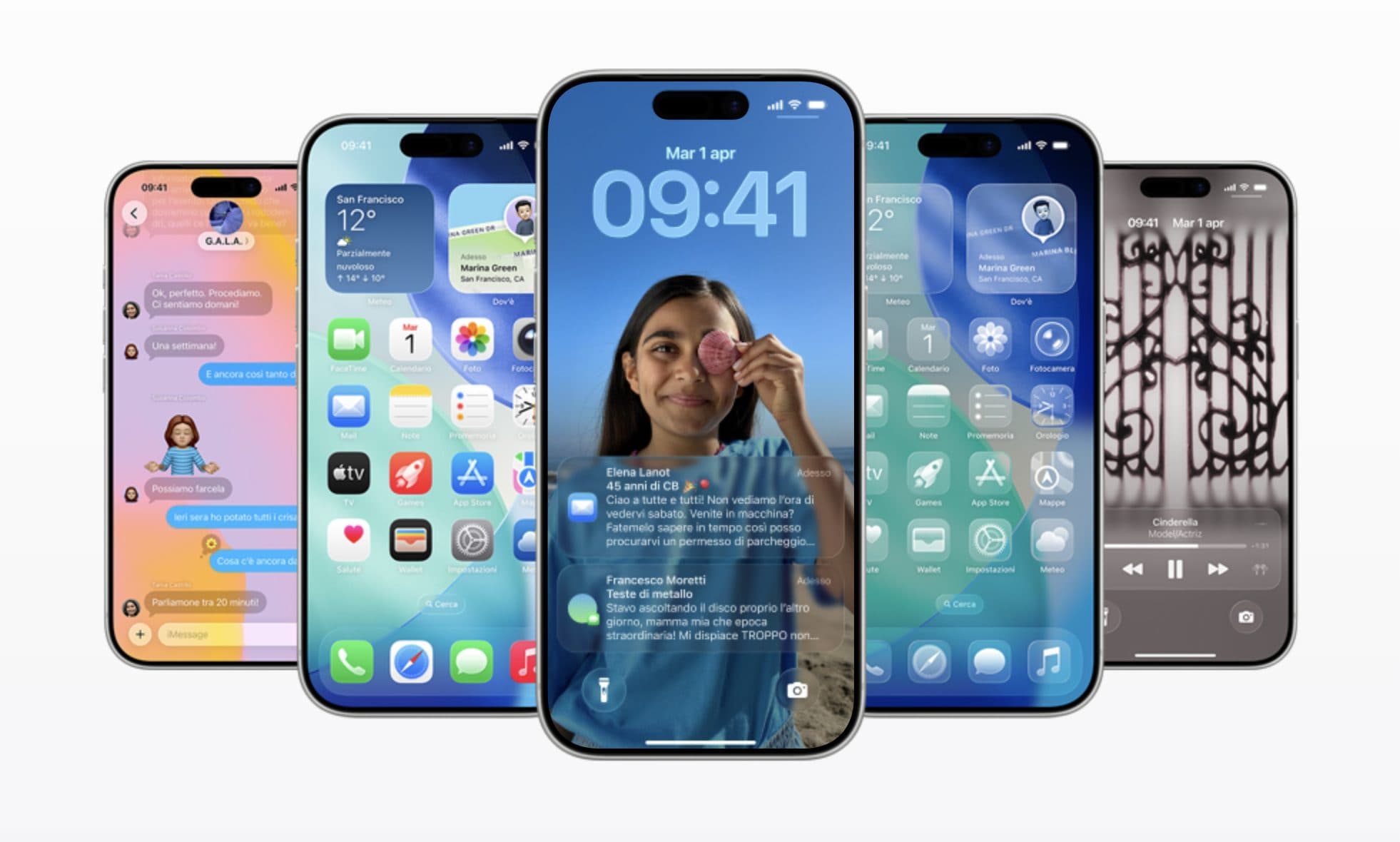
The iPhone operating system is about to receive a new update: iOS 26.1. This week the testers had access to the Release Candidate versionthe public release is therefore imminent, most likely it will arrive today. Minor updates like iOS 26.1 they rarely introduce major revolutions. And in fact, after having launched most of the new features with iOS 26, the Cupertino company is now aiming to targeted tweaks and user experience refinements.
The latest beta shows anyway some notable changes. Here, in detail, all the news of iOS 26.1.
What changes with iOS 26.1: the main new features of the update
After weeks of beta testing, iOS 26.1 is ready to debut with a series of targeted improvements that aim to perfect the experience introduced with iOS 26. Among the innovations reported to date, these are the most relevant:
How to set transparent icons and Space Wallpaper on iPhone: what’s new in iOS 26
- Expanding the languages supported by Apple Intelligence: e.g. Danish, Dutch, Norwegian, Portuguese (Portugal), Swedish, Turkish, Vietnamese.
- Expansion of supported languages for the Live Translate function (with newer AirPods): Japanese, Korean, Italian, Chinese (Traditional and/or Simplified).
- “Liquid Glass” interface: with iOS 26 a new transparent visual language was introduced, with iOS 26.1 comes a toggle to adjust the effect: between “Clear” (transparent) or “Tinted” (more opaque) mode for better readability.
- New interface optimizations: for example, in the alarm/Timer screen the possibility of “slide to stop” instead of just the “Stop” button.
- New features in the apps: for example, in the Music app there are swipe gestures to change songs, in the Phone app some new haptics settings, on the unlock screen the possibility of deactivating the swipe that opens the camera.
- “Background Security Improvements” feature: An option in the Settings → Privacy & Security menu to automatically download and install security updates between major iOS versions.
- Other minor changes and bug fixes: for example settings for in-call audio recording (“Local Capture”), new options for forwarding notifications to accessories, general improvements.
When iOS 26.1 comes out
Apple prepares to release iOS 26.1. As reported by Bloomberg’s Mark Gurmandeployment should begin Mondayprobably in the evening, integrating a series of improvements and tweaks to the experience introduced with iOS 26. In the meantime, Cupertino is wasting no time: the first beta of iOS 26.2 could be made available to developers already Tuesdayconfirming the fast pace with which Apple is carrying out thethe evolution of its software.
How to install iOS 26.1 on iPhone, Mac and iPad
Here is the guide to update compatible devices:
On iPhone (or iPad):
- Make sure you have a recent backup (via iCloud or iTunes/Finder).
- Go to Settings → General → Software Update.
- If the iOS 26.1 update appears, tap “Download and Install.”
- Your device will reboot during the installation.
- After rebooting, you may need to complete some setup (such as accepting terms and conditions).
On Mac (for related updates like macOS Tahoe 26.1):
- Go to Apple menu → System Preferences → Software Update.
- If “macOS Tahoe 26.1” appears, click “Update Now” or “Download and Install.”
- Follow the onscreen instructions.
- Here too, a backup before the update is advisable.
For other compatible Apple devices (such as watchOS 26.1, tvOS 26.1, visionOS 26.1):
Apple usually releases software updates simultaneously for all its main operating systemsthus ensuring uniform distribution across iPhone, iPad, Mac, Apple Watch and Apple TV. The update methods remain similar: for Apple Watch you switch from the Watch app on iPhone, while on Apple TV And Apple Vision the option is found in Settings → System → Software Update.
In any case, it is always advisable check the compatibility of the devicemake sure it is connected to a stable Wi-Fi network And powered or with sufficient charge during installation, to avoid interruptions.
As for the device compatibilityiOS 26 — and consequently also iOS 26.1 — is available on all recent iPhone modelswhile older models may no longer be supported. To check if your device is compatible, just go to Settings → General → Information.
