
Windows 11 26H2 has reached general availability on September 29th. Microsoft has distributed the so-called 2026 Update in the form of enablement package (identifier KB5121794), a small package that installs with a single reboot, without the full process of version upgrades. The code base, moreover, is the same as the 24H2 and 25H2 versions: a large part of the functions had already been delivered through the monthly cumulative updates of the previous months.
The mechanism chosen by Microsoft aims to minimize the impact on productivity. Those who have kept the system updated will find several new features already active; the 26H2 package groups them under a single version label and enables some that have so far been excluded, especially in the commercial sector (backup of Windows settings, quick actions in the taskbar, improvements to File Explorer).
The news at a glance
- AI Agent in Settings– Find and change system options using natural language commands.
- Task Manager: New dashboards to monitor AI workloads and NPU activity.
- Taskbar: Quick access to AI-powered tools, more compact layout and the ability to choose the position on the screen.
- Start Menu: customizable dimensions, profile photo management and choice of sections to show.
- Windows Search: Improved results for frequently used folders and more control over suggestions from the web.
- File Explorer: Clearer and more readable display of file sizes.
- Windows Sharing: Ability to install apps directly from the sharing window.
- Cross-device experiences: Deeper integration between Android and PC, with cross-device activity resumption.
- Accessibility: Voice Access with more languages supported and new Voice Isolation to filter out ambient noise, Narrator with richer image descriptions, Magnifier with enhanced zoom controls.
- Safety: Extended support for fingerprint readers for Windows Hello, improved management of Smart App Control and new interventions in Windows Security.
- Hardware: Shared Audio for audio output to multiple Bluetooth devices at the same time, Multi-App Camera for simultaneous access to the camera from multiple apps, Basic Camera mode for simplified compatibility.
- Other: Deeper Xbox integration into gaming, revised notification controls in Widgets, and network reliability improvements.
The most visible trend is that of artificial intelligence applied to system components. The app Settings now integrates an agent capable of identifying and modifying configuration entries via natural language commands: just describe what you want to achieve, without manually navigating through the menus. The Task Manager gain monitoring panels dedicated to AI loads and the activity of the NPUso as to offer an overview of the resource consumption of local models. The taskbar, in turn, adds shortcuts to AI-powered tools and the ability to choose the location on the screen with a more compact layout.
Start menu, search and accessibility: the other new features
The Start menu becomes more flexible. Users can choose between different sizes, hide profile picture and account name, decide which sections to show. There Windows search improves results for frequently indexed folders and adds controls for suggestions from the web and the Microsoft Store. File Explorer revises the display of file sizes to a format described by Microsoft as more user-friendly.
On the accessibility front, Voice Access extends language support and introduces Voice Isolation to filter out ambient noise during speech recognition. THE’Voice assistant (Narrator) generates richer descriptions of images, while the Magnifying glass receives enhanced zoom controls.
Among the hardware additions it stands out Shared Audiowhich allows you to share sound output to multiple compatible Bluetooth devices simultaneously. Multi-App Camera allows multiple apps to access the camera at the same time, while the mode Basic Camera offers simplified compatibility for older software. The picture is completed by improvements to gaming with deeper Xbox integration, tweaks to widgets, new features for Windows Hello, Smart App Control And Windows Securityas well as better cross-device integration between Android and PC and interventions on network reliability.
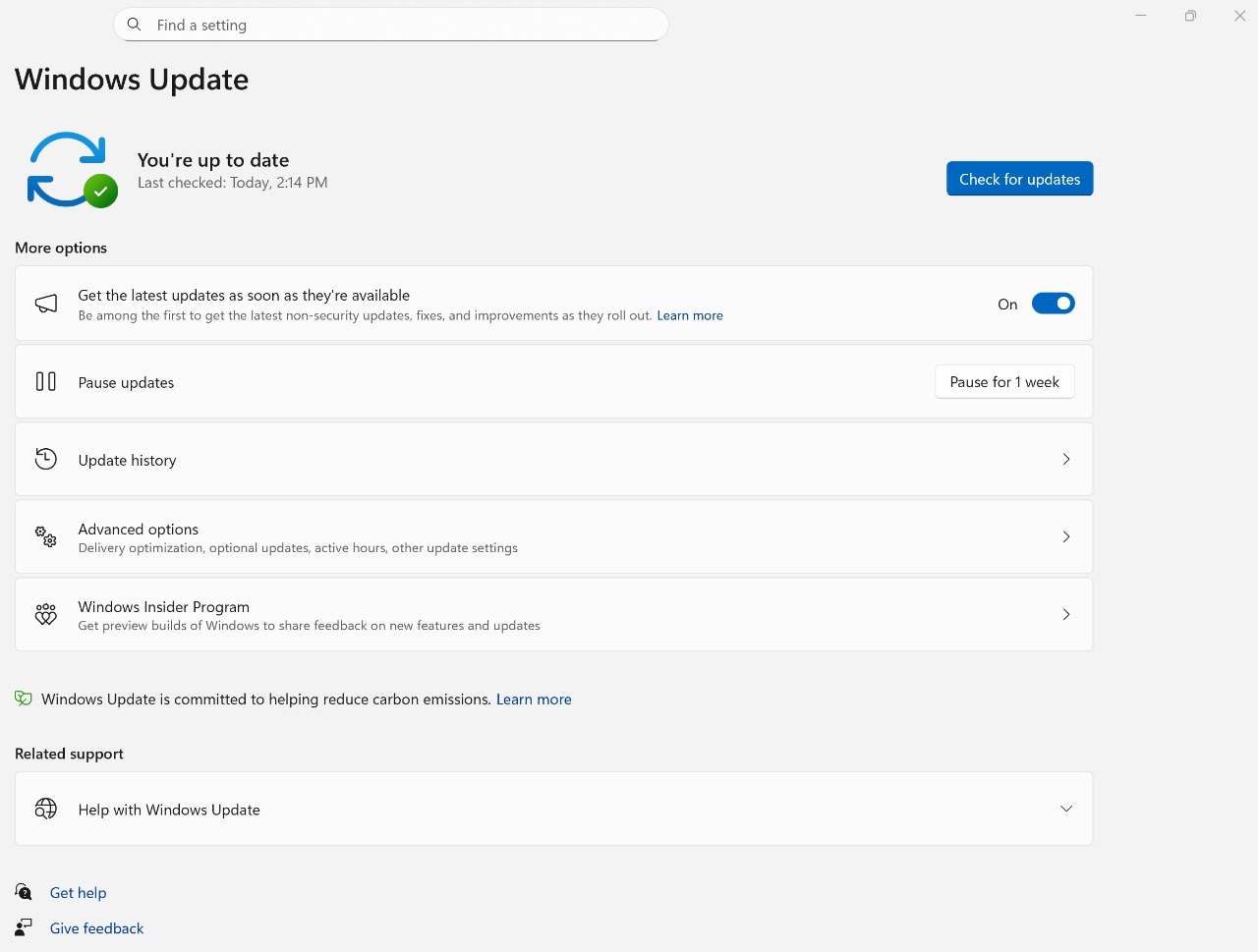
To get the update just open Settings > Windows Update > Check for updates. Activate the option “Download the latest updates as they become available” may speed up delivery to eligible devices as the release proceeds in phases and timing varies by market and hardware configuration. Those coming from 24H2 or 25H2 should not expect long times: the enabling package weighs little and the restart is single. How useful the AI functions integrated into the system will be in daily practice, and not just on paper, will only be understood with real use: for now, Microsoft has bet heavily on the NPU as a lever to differentiate Windows from the rest.