
Spotify users who don’t like the official app due to memory consumption they now (and for now…) an open source alternative which aims precisely to reduce this impact: it’s called Spotifast and is a native client developed in Rust.
According to the project, Spotifast it boots up in less than a second and typically uses between 100 and 250 MB of memorywhile the official Spotify desktop application can require between 600 MB and over 1 GB. The savings can therefore be significant, especially on systems with a smaller amount of RAM.
The application is available for Windows, macOS and Linux and uses Rust for the program, egui for the graphical interface and librespot for playing Spotify content. The project was created with the aim of offering a lightweight client, while maintaining a good part of the functions normally associated with the official application.
Spotifast can play music directly on your computer and is recognized by Spotify as a Spotify Connect device. You can then select it from the application on your smartphone or start playback directly from the client. Playback goes up to 320kbps and the software can be configured to maintain a more consistent volume level between songs. There is also a system available that Temporarily preserve recently played audios to reduce repeat downloads.
The client can also be used to control other Spotify Connect compatible devices. From the device selector it is possible to transfer playback to a smartphone, a speaker or another computer and continue to manage play, pause, song skip, search within the track, random playback, repeat and volume.
On the features front, Spotifast allows you to access your library with playlists, songs added to favorites, albums saved, artists you follow, podcasts and saved episodes. You can also create, edit and reorder playlists. Search includes songs, artists, albums, playlists, podcasts, and episodes, and includes artist pages, discographies, and related artists when this information is provided by Spotify.
There is no lack of background playback. By closing the window, Spotifast can continue playing music from the system notification area, while the keyboard’s media keys allow you to pause, resume, or change songs.
One of the most characteristic aspects, however, is the interface customization. Light and dark themes are available, as well as the ability to use custom colors. On Omarchy the program can automatically follow the desktop theme, while some pages can adopt a color derived from the cover of the album being played.
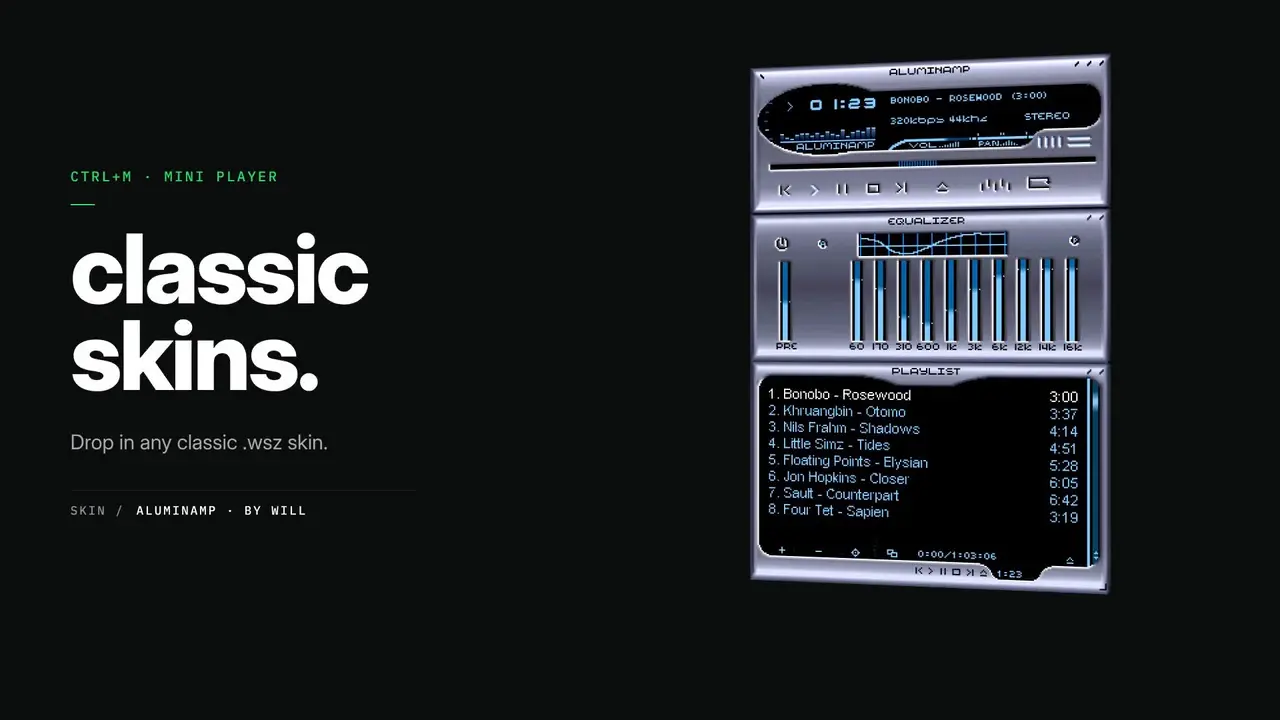
Added to this are the Milkdrop views and a mode that transforms the interface recalling that of the famous Winamp. Spotifast also supports historic Winamp skins in the .wsz formatthus bringing back a possibility of customization that has become uncommon in modern music players.
Spotifast does not bypass the limitations of the free subscription. To listen to music you need an account Spotify Premiumboth when playing directly on your computer and when using the client to control another device. Users with free accounts can still search and browse content, but cannot start playback.
During setup, Spotify asks for two permissions: one to access the user’s library and a specific one to allow playback on the computer. Login is done through Spotify’s official website and Spotifast does not receive your account password.
The developers also claim to I am not aware of any confirmed cases of account bans caused by normal listening with Spotifast or with other players who use librespot. The program does not unlock Premium, does not remove advertising for free accounts, does not export songs and does not bypass content protection systems.
The project is still relatively young and the developers warn that problems or incompatibilities may occur. In the event of malfunctions, the spotifast.log and, after a crash, panic.log logs can be used to pinpoint the cause.