
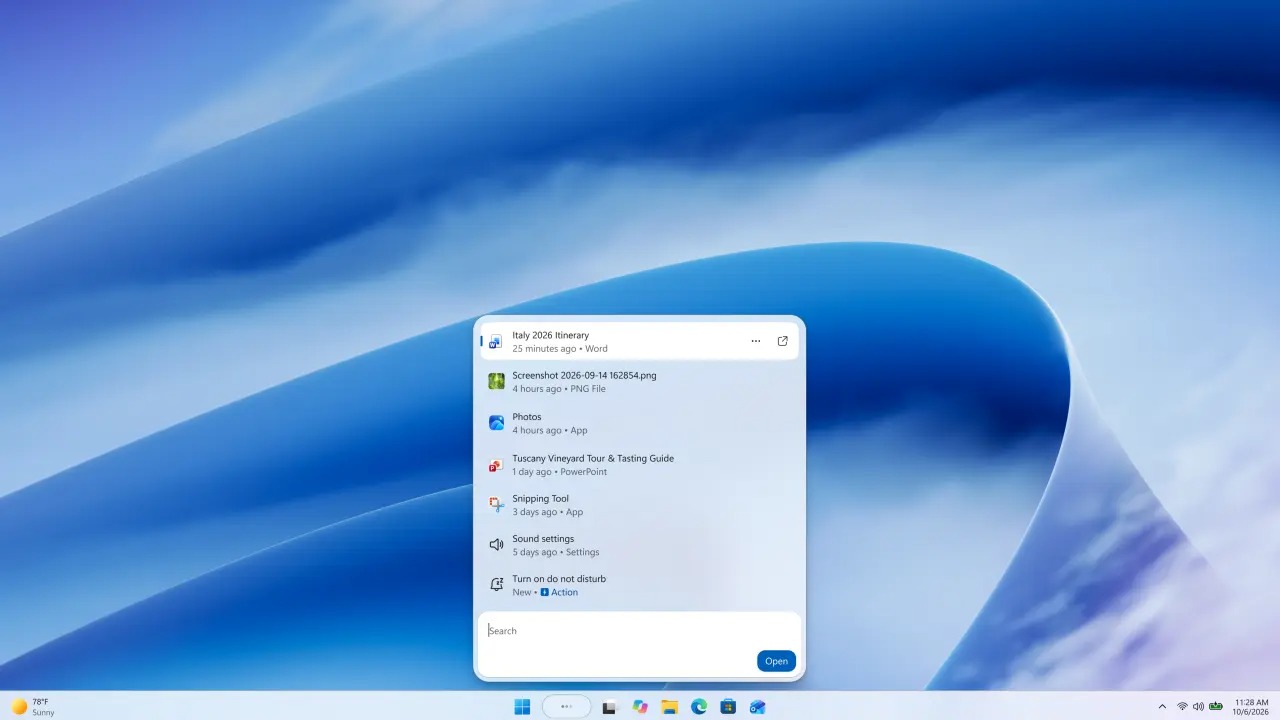
Windows Search has extended its role to PC control: Microsoft has presented a new experience that allows you to perform operations directly from search in the taskbar. During the Windows and Surface event on October 7the company announced thousands of actions and began rolling out the first preview to Windows Insider users in the Experimental channel.
The change mainly concerns the path necessary to intervene on the settings. A request in the search box allows you to invoke commands to activate the dark themereduce the brightness, or turn off the sound. The same interface offers operations on windows, from minimizing them to arranging them on the screen, avoiding having to go through additional panels.
Microsoft also includes among the examples the activation of Do not disturb and airplane mode. The declared objective is to shorten daily operations by bringing the relevant command to the point where the user expresses the request. The overall number of announced actions describes the breadth of the project, but is not a measure of their reliability in real-world use.
The AI component also includes future integration with Copilot. Responses may appear in search, with a link to the full app to continue the conversation. Microsoft specifies that activation will be optional and that distribution will begin in selected markets by the end of 2026: these are conditions that distinguish this function from actions that have already entered the test phase.
WinUI 3, more compact results and limitations of the first preview
Another example involves text messaging through Phone Linkwhich connects the smartphone to the computer. The user will be able to issue the request from the taskbar; the blog dedicated to Insiders places operations on the phone among the upcoming additions. Again, the presentation of the feature does not equate to its immediate availability in the preview.
Windows Search adopts WinUI 3 as the basis of the new interface. Microsoft attributes improvements in speed and resource efficiency to this choice, but in the published material it does not provide numerical measures to quantify them. Searching for files, applications and settings remains central, with better handling of typos and synonyms.
The presentation of the results also changes: one single list concentrates information and reduces the space occupied by the previous preview side panel. By the end of 2026, Microsoft plans additional file details, built-in previews, and filters to narrow results. These are useful interventions especially when multiple documents have similar names and you need to distinguish them before opening them.
The first distribution proceeds gradually in the channel Experimental and only supports English. For the Italian public this is a concrete limitation of the preview: the request examples describe the expected operations, without confirming support for the corresponding commands in our language.
The debut concerns the taskbar. In early trials, searching from the Start menu continues to invoke the existing experience; Microsoft plans to extend the new one to Start in 2027. The tests will serve to correct the relevance of the results, stability and interaction before expanding the preview, decisive aspects for a function intended to execute commands as well as find content.