
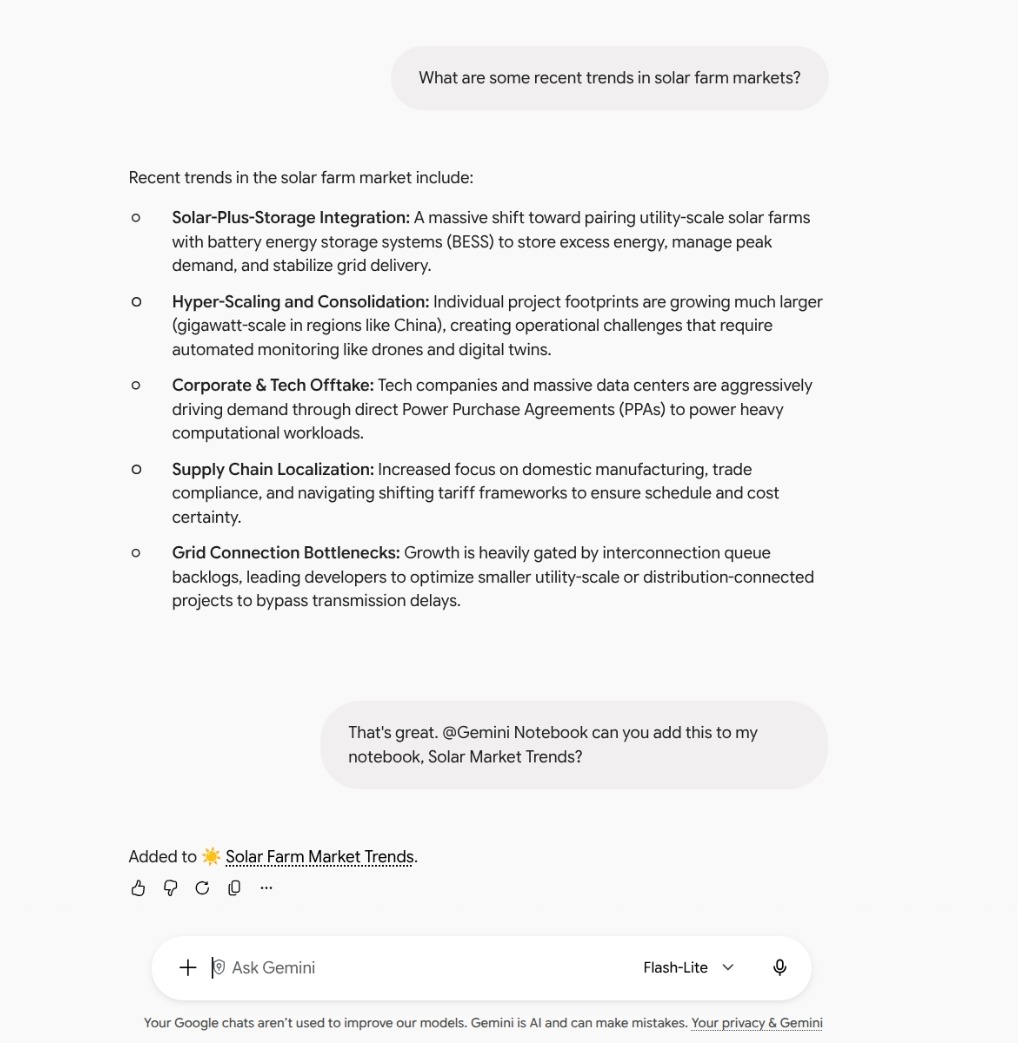
Gemini Notebook has become a Gemini connected app: Google has added the ability to create and manage notebooks directly in conversations with the assistant. The integration has extended the available operations beyond document consultation, including editing sources, saving notes and deleting notebooks.
To call the service you can write @Gemini Notebook in the message, followed by the natural language request. The user can ask to open a new notebook dedicated to a project, retrieve information already archived or keep notes. Google also indicates that Gemini can independently recognize when a request requires intervention from the connected app.
The novelty mainly concerns the transition from reading to action. Consulting a set of materials and intervening on its organization become operations accessible from the same conversation. Anyone discussing a topic with Gemini can then ask to add a copy of the chat to a notebook, without having to manually transfer the content to the other application again.
The commands include creation, modification and deletion of notebooksas well as adding, updating, and removing sources. You can also get the list of notebooks and the documents they contain. These operations are distinct from simply generating a response: the assistant also becomes an access point for maintaining the collected material.
Multiple notebooks in the conversation, with different functions
Management via a connected app is combined with the possibility of consult multiple notebooks in the same chat. This mode allows you to ask questions about materials distributed between separate collections, without having to first gather them in a single notebook. The practical advantage emerges when the organization of documents follows different projects or topics, but a question requires relating them.
One use case is comparing personal goals and expense recordsstored in separate notebooks. The same approach can be used to connect study notes or work materials collected at different times. The point is to be able to query separate archives together, maintaining a useful subdivision even when each notebook is consulted alone.
Attach notebooks for consultation and issuing commands to modify them respond to different needs. The former brings more context into the conversation; the second allows you to intervene on archived contents. Therefore, both the way of retrieving information and updating the collections during work changes for the user.
Google confirmed the availability of the integration on its official blog on October 23. Access includes Google Workspace customers, Workspace Individual subscribers, and users with personal Google accounts. The announcement indicates the function as already available, without further waiting linked to the release calendars of company domains.
For those who use it in Italy what matters above all isactivation in settings: In the European Economic Area, the connected app is disabled by default. The control is found in the connected apps section of Gemini. In corporate environments, the administrator’s choices also come into play: the user must belong to a group or organizational unit in which both services, Gemini and Gemini Notebook, are enabled.