
Microsoft keep talking about how he has is making Windows 11 a faster and more responsive operating system, especially on systems with only 8 GB of RAM. She did it last month, and now in a post she has returned to talk about the work done so far, also publishing a video that demonstrates the progress made.
Not only on PCs with 8 GB of RAM Windows 11 can be up to 20% more reactivebut thanks to optimizations measured at the heart of the system and key components, such as the Edge browser, some multitasking tasks can be completed up to 40% faster compared to the January 2026 versions. These are results obtained through internal testing and telemetry measurements, and therefore not guaranteed increases on any configuration.
One of the main interventions concerns the way Windows manages available memory. Microsoft points out that seeing a lot of your RAM occupied in the Task Manager doesn’t necessarily mean your system is in trouble. The operating system in fact, it uses free memory to keep applications and data available that may be needed againrecovering resources when necessary.
To limit the use of storage space, which is much slower than RAM, Windows also uses memory compression. Microsoft has revised the criteria by which data is compressedestablishing when to keep them in memory and when to transfer them to disk. On systems with 8 GB this work allows you to keep up to an additional 2 GB of active data in RAMreducing the likelihood that applications and browser tabs will need to be reloaded when the user returns to use them.
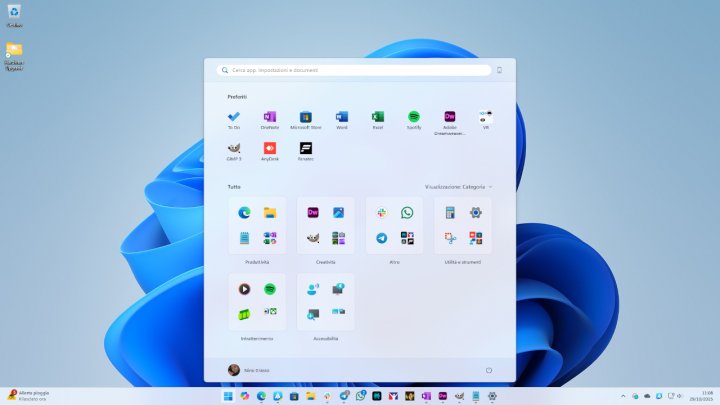
A second front concerns the priority assigned to operations requested directly by the user. Opening the Start menu, searching, right-clicking, accessing Settings, launching Snipping Tool, or opening File Explorer are tasks that Windows needs to respond to quickly. Compared to the January 2026 updates, these operations are up to 20% faster according to Microsoft measurements.
To get the result, Windows temporarily gives higher priority to foreground tasks and lowers the priority of background processes, such as search indexing. The goal is to prevent maintenance or completing an update installation from slowing down your daily activities.
Starting applications also benefits from some adjustments. When the user opens Microsoft Edge from the Start menu or selects a link, Windows can connect directly to a browser process that is already active in the backgroundavoiding having to locate it and start from scratch. In this scenario Microsoft states up to 33% faster openingprovided you use Windows 11 with build 26300.9818 or later and Edge 150 or later.
Microsoft Teams in turn contributes to load reduction. On PCs with 8GB of RAM, Efficiency mode can be turned on by default, allowing up to 20% faster startup and less resource consumption when running. During video conferences, Teams can also adapt the camera resolution to leave more processing power available for audio.
The most significant improvement declared by Microsoft concerns multitasking. The company simulated particularly demanding use on an HP OmniBook 3 with 8 GB of RAM and an 8-core Snapdragon X Plus processor. The test involved opening 20 tabs consecutively in Edge, a 4K video, Outlook, File Explorer, and large documents in Word, PowerPoint, and Excel, leaving all applications open throughout the entire process.
With the latest builds, this sequence took up to 40% less time to complete than the January 2026 releases.
Reducing memory consumption also affects applications. Work on Word, PowerPoint, Excel and Outlook can save a total of up to 360 MB of RAMthanks to more efficient management of allocations and data structures. Looking at Windows, Edge, and Microsoft 365, Microsoft claims reduced memory growth by up to 900 MB during multitasking tests on 8 GB systems.
The benefits extend also to third-party applications. Microsoft cites WhatsApp as an example of software that has seen double-digit improvements in the use of memory thanks to interventions on the Windows platform.
Other measures concern features that are not actively used. On PCs with 8 GB of RAM or less, Widgets load only when the user opens them, reducing memory usage by approximately 200 MB when they are closed. Additionally, in Edge, inactive tabs go to sleep after 15 minutes by default, up from two hours previously.
Microsoft is accompanying these interventions with a verification program involving over 20,000 PCs in its laboratories. The tests reproduce common activities such as web browsing, Microsoft 365 use, video conferencing, and background downloads. The company also uses high-speed video cameras to measure the time between a command and the result appearing on the screen.
The company also highlights that performance does not depend solely on the amount of RAM. In tests commissioned by Principled Technologies, a 2026 Dell The newer system also achieved results comparable to a 2021 configuration equipped with 16GB in several areas, including CPU performance, web browsing, AI-powered web tasks such as background blurring and face recognition, and 4K video export.
The work on efficiency will continue in the coming months. Microsoft intends to further improve memory compression, share components between features and applications to avoid duplication and reduce the resources needed for WinUI 3-based interfaces. Planned interventions include sharing a web engine between Search and Widgets and another between OneDrive and Photos. File Explorer, Notepad, Paint, and the new Windows Search should also benefit from optimizations to launch more quickly and take up less memory.
The company is also cworking with PC manufacturers and hardware partners to reduce the amount of RAM reserved for system componentsleaving a larger share available to Windows and applications.
To obtain the optimizations already distributed, Microsoft indicates as a requirement Windows 11 version 26H2 with build 26300.9818 or later. You need to check for updates through Settings, Windows Update, turning on the option to receive the latest updates as they become available. It’s a good idea to keep Edge, Microsoft 365, and Teams up to date as well, as some changes are rolled out separately through application updates or the Microsoft Store.