
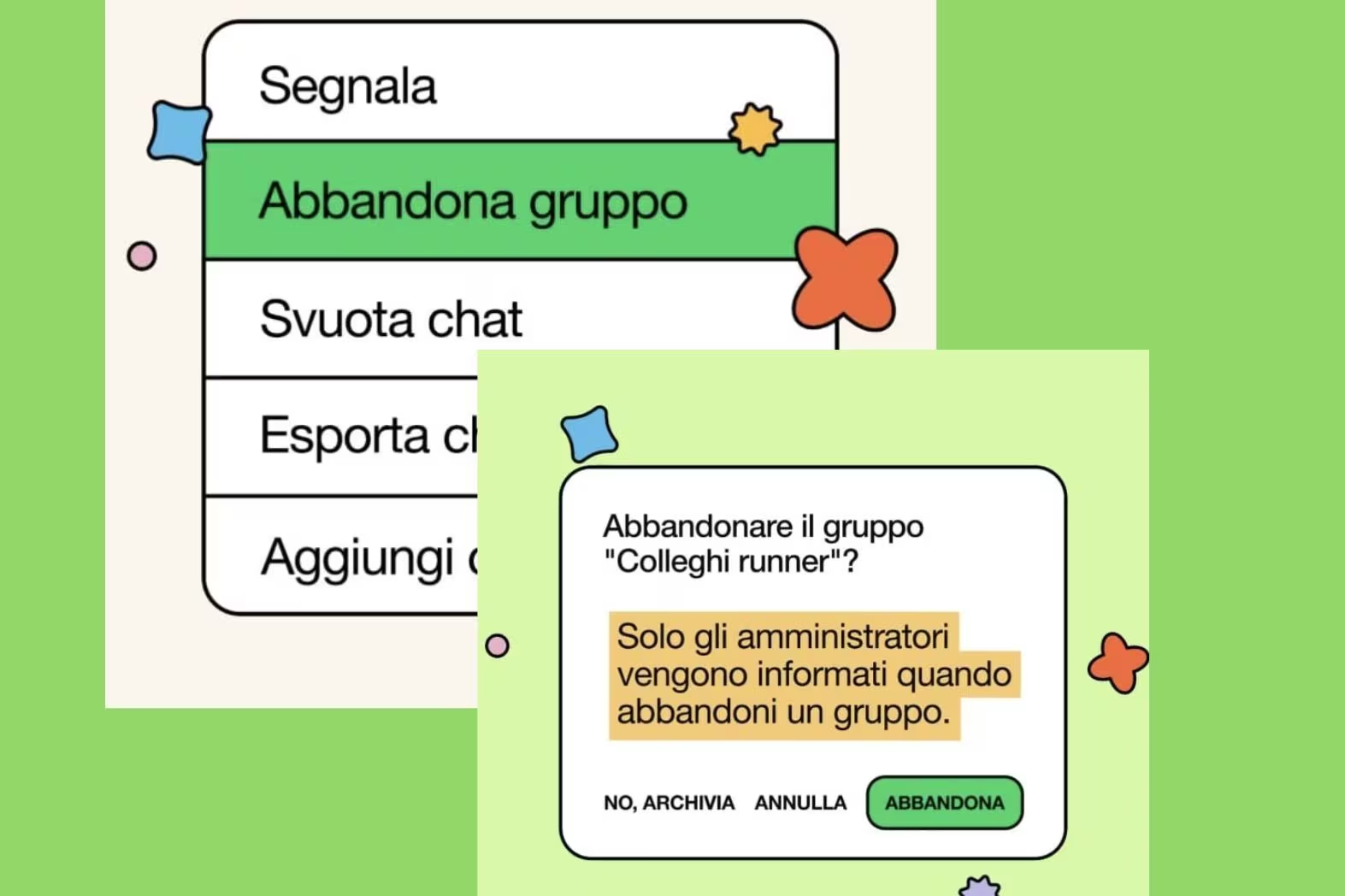
How many times have we stayed inside a WhatsApp group even if it bombarded us with notifications, clogged up our memory or was simply no longer needed. What often blocks is the message of abandonmentthe one that appears when a user decides to leave the chat. Now WhatsApp has made this much more discreet operation. The messaging app has integrated a feature that allows you to go out “silently”. The abandonment notification, in fact, from now on it will only reach group administrators.
The option is designed to protect user privacy and provide an escape route from forced group invitations. If silencing or ignoring them isn’t enough, now just a few steps are enough to abandon them without attracting attention. WhatsApp these days is sending messages to all its users for explain how to activate it.
Leaving groups on WhatsApp: there are two alternatives
WhatsApp distinguishes between two exit methods: you can leave the group while keeping the chat history on your device or leave it and eliminate it completely from the chat list, also deleting all messages and multimedia files received. Once deleted, the group cannot be reinstated and will be required to join again be invited by one of the administrators.
Voicemail 2.0 arrives on WhatsApp: what it is and how to use it
To leave or delete a group, just do it open the chat and tap the group name to access the settings. The “Leave group” command is available here, which allows you to exit the conversation. The user can choose whether to keep the message history on the device or delete the chat completely, removing it from the conversation list. In the latter case, it will be possible to cancel including all received media files in the chat, freeing up space on your phone.
When you leave or delete a group, you no longer receive new messages and can no longer participate in conversations. Previous chats remain on your device only if you decide to keep the history. Otherwise, they are deleted. It is important to remember that, if the group is part of a WhatsApp community, leaving it automatically means leaving it too the community. In practice, by leaving a group associated with a larger structure, you leave everything that is part of it.
How to control who can add you to groups
Still on the topic of groups, there is another function that allows you to protect privacy. Anyone with your phone number can, of course, try to add you, even if they aren’t in your contacts. To protect your privacy, however, WhatsApp allows you to choose who can do it. Just log in Settings > Privacy > Groups on your phone and decide whether to allow everyone to add you, limit invitations to only saved contacts, or exclude specific people. If an unauthorized user tries to add you, they will have to send you a private invitation. This setting allows you to reduce unwanted invitations and have more control on your chats and your privacy.
