
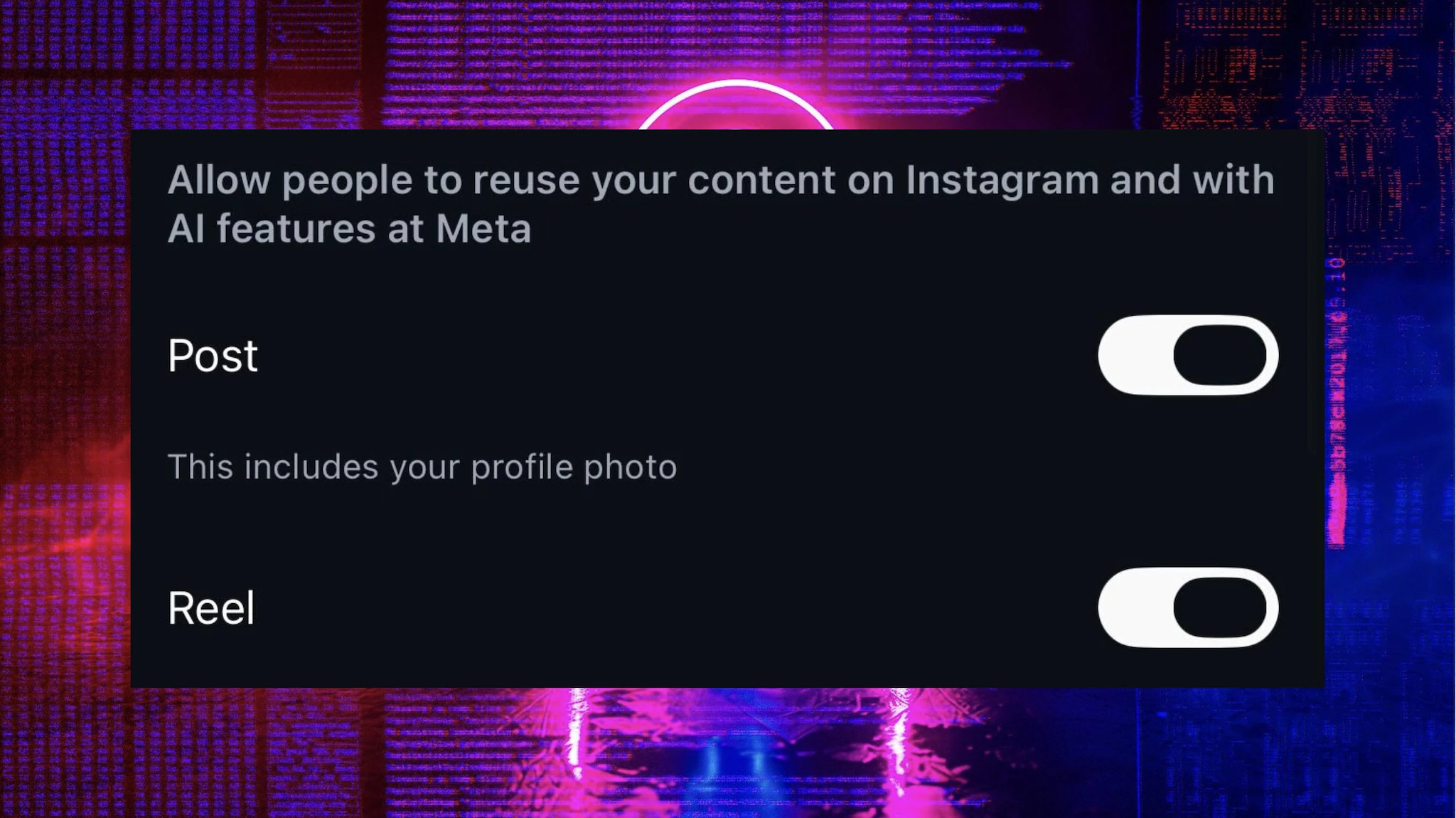
Instagram’s new AI can use content posted by users to create new images. There is a way to prevent this: you need to remove two options related to sharing which are automatically active on all profiles. In this little guide we explain how to do it.
The node from which everything starts is called Muse Image. It is the new artificial intelligence model developed by Meta Superintelligence LabsMeta’s artificial intelligence division. Muse Image is available at Meta AIthe artificial intelligence chatbot that appears in WhatsApp chats and in several products of Half. It’s the same integration you find with Nano Banana on Gemini: when you ask Meta AI To create an image, Muse Image should activate and start creating assemble all the necessary pixels to arrive at the final result. There is a difference, however. Muse Image is very linked to Instagram, so much so that in the test prompts we see that it is possible to access other users’ accounts. Let’s take an example: if I have a group photo but want to add my friend @AmicoZZ just tag a photo in the prompt to see it appear in the composition.
This option did not convince users. On the contrary. Two days after his announcement, several began to appear on social media criticisms of the setting of the new model given that it actually allows you to draw directly from user profiles. The step works, at least from what we have seen so far, only with public Instagram profiles. Which is no small thing anyway. But there is also another theme. The model is able to analyze a profile, choose a photo and then process it for the new context. And everything else? How many of the images published on our social networks they served to train him or they still serve to fuel it. If we ask Muse Image to add a cup to the table in one of our photos, is it possible for it to take the cup just published by another user and bring it into our living room?
How to stop Instagram from using your photos for AI
In any case there is a way to prevent Meta AI to use our profile pictures for its algorithms. We need to go to personal profile and then remove a couple of permissions, we leave you here the complete guide to manage everything:
Creator Husk is already stressing OpenAI’s new voice model – confusing the AI is still very easy
- Open Instagram
- Tap the icon with your profile
- Tap the menu with them three lines
- Scroll to Sharing and Reuse
- Open Sharing and Reuse
- Get to the option “Allow people to reuse your content on Instagram and with AI features at Meta”
- Disable the option “Posts”
- Disable the option “Reel”
